


iCount allows you to manage your customers with a portal created specifically with accountants in mind.
With this interface, you are able to pull tax and revenue data directly from your customer’s system, which will not only save you time and energy, but will allow you to ensure a totally seamless data hand-off.
iCount makes sure this will not happen again.
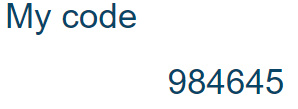
Once the customer enters your code in their system, they will appear in the built-in CRM interface in your iCount account.
Once your customer has defined your code in their iCount account, they will appear inside the built-in CRM interface in your system.
A Customer has entered my code in his system - What should I do next?
Press on the CPA tab in the CRM menu and you will be transferred to a page that displays all the clients. There, you can see the permissions that every client has set, and on the right side of every line there is an options button that can be used to create files, or withdraw accounting data.
Every Action has options for you to define (date range, for example), depending on the size of the chosen file – each action should take no more than a few seconds.
I received the code from my Accountant - What should I do next?
All that’s left to do is to click in the main menu:
- System
- Settings
- Accounting
- My CPA
Once there, enter the code you were given by clicking on the ‘Add’ button, typing the code, and pressing the “save” button.
You can give your accountant permission to download a copy of your business’s total activity, or to download a copy of all expenses scanned to the system (both as pictures and in a spreadsheet).